The whole school, in one place.
Grades, report cards, conduct, attendance, a points program with a real school store, and the parents. It works the way a school day actually goes, with the paper sheets your teachers already use. And your staff can call IQ, our assistant, from any phone, even a flip phone, at any hour, and tell it what to do.
Call us: (888) 799-9289 — our assistant IQ answers 24/7, and can text you a free trial login.
Or email sales@academiqs.app. Already a customer? Sign in at your school’s own address, yourschool.academiqs.app.
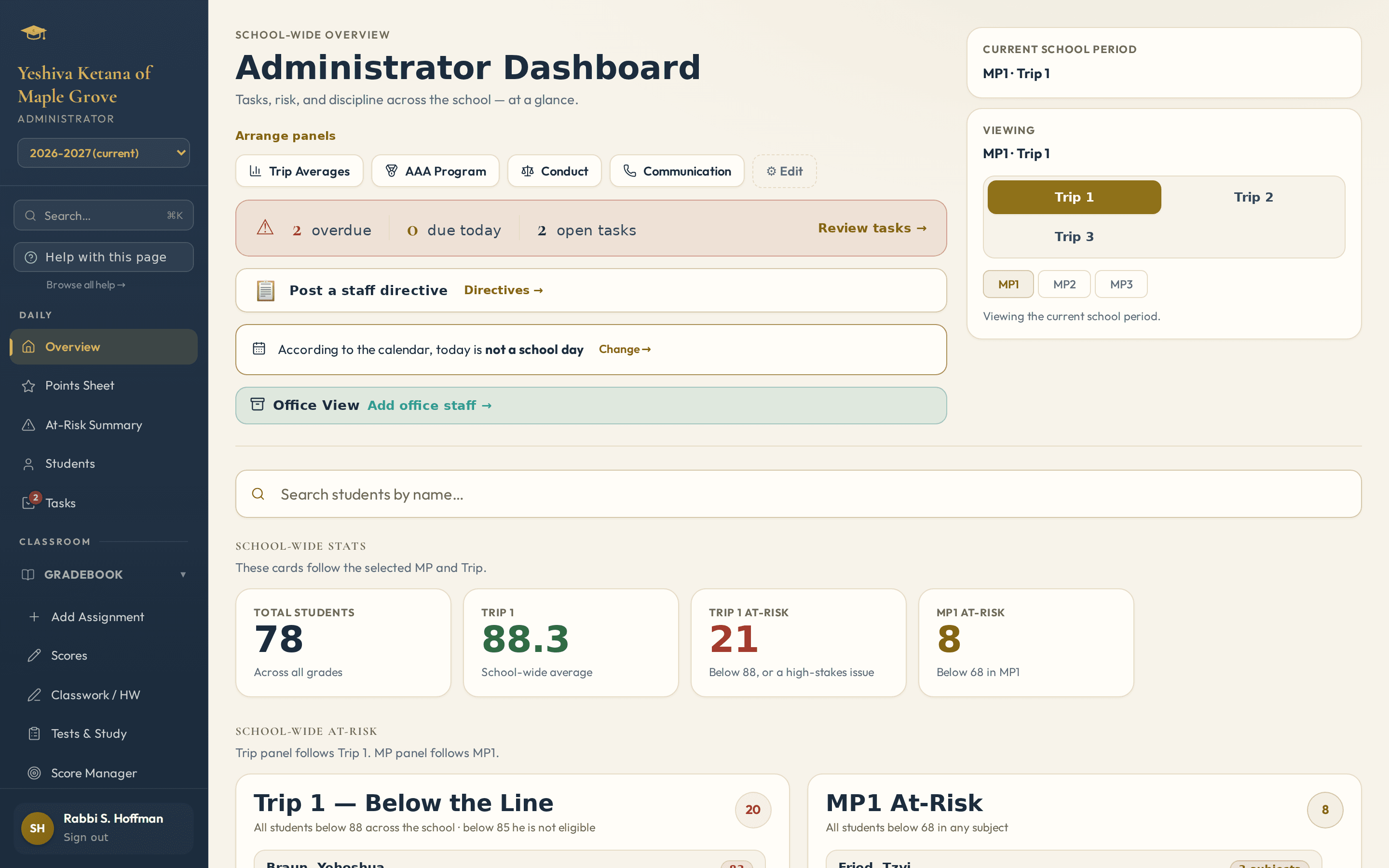
What the office, the teachers and the parents need, all in one place.
Your school gets its own site with its own classes, calendar and rules. Turn on the parts you need now and add the rest later.
Gradebook & report cards
Tests, quizzes, homework and classwork, graded the way your school grades. The report cards come from the same marks, so nobody types anything twice.
Paper that reads itself
Print a grade sheet, attendance sheet or points sheet. The teacher fills it in with a pen. Scan the pile back and the marks go in on their own. The reading keeps going in the background, even if you leave the page, and you are taken straight to anything a person needs to check.
Conduct & letters home
Writing up an incident takes a minute. The letters home, follow-ups and detentions follow from it, worded the way you want. If one should not count against a student, you can say so and it stays on their record.
Points & the school store
Students earn points for behavior and work and spend them in the school store. ID cards with barcodes, a register, receipts, real prizes. The students can even run it.
Incentive program & standings
We call it the AAA Program: students work toward a class trip by keeping up their grades, their homework and their behavior. You decide what it takes, say an 85 average and 80% of the homework. Every student can see where they stand and what they still need, on a screen, a hallway poster or one sheet per class.
Attendance
Take attendance at a kiosk by the door, on a paper sheet, from a phone or from the office. It fills in the register and the report card for you.
One inbox for what’s waiting
Each person gets one list of what needs them today: scans to check, tasks, attendance not taken, scores not finished, report cards to write. One button opens the place where it gets done, and a line leaves the list by itself once it is settled.
Parents, kept in the loop
Parents can log in to see how their child is doing, and get a weekly note about upcoming tests if they want one.
Call every family at once
A school phone line plays today’s message and keeps the voicemails. Record a message once and it calls every family at the same time. A few minutes later you see which families were reached, which only got voicemail, and you can call back just the ones nobody reached.
Texts home
Parents who sign up get a text when their child is absent, has a test coming up, or gets a conduct notice. Teachers can text their own class too, if you allow it, with your limits and your approval.
Fits your school’s shape
Kodesh (religious studies) and English with a report card for each, co-teachers who share a whole class or just one subject, a principal who also teaches, terms or marking periods, Hebrew names on cards. You can set it up in an afternoon.
Questions & Tests
Build a bank of questions by topic and grade, or fill in our Excel sheet and upload it. Print a test with each student’s name on it and scan it back to mark it, or let the students answer at a kiosk and earn store points.
The office’s morning
A morning summary for the principal, reports for the whole school, easy exports, an Undo right after a change instead of “are you sure?”, a bin for anything deleted, a record of who changed what, and help on every page.
The classroom extras
A prize drawing the students will cheer for: a prize wheel, a spinning reel, a magician or a car race. Seating charts you can print, and name cards with photos.
Just call and tell it what you need. Day or night.
IQ is the assistant built into AcademIQ. A teacher can call or text it from their own phone, or type to it on the site, at any hour. They say what they need, and IQ looks it up or does it.
Calling and texting IQ is an add-on, charged only for the staff who use it. Asking IQ for help with the app is free for every school.
Hear it for yourself: call (888) 799-9289. IQ will answer your questions about AcademIQ and can text you a free trial login to our demonstration school, to look around as its principal for a couple of days.
No internet? A basic flip phone? They can still run their class.
Many teachers and rebbeim keep a kosher phone, or no internet at all. AcademIQ was made with them in mind. Grades, attendance and behavior can all go on paper sheets that the office scans in. And IQ is just a phone call: dial, give your PIN, and say what you need.
No smartphone, no app and no internet on the phone. A teacher only ever reaches their own class, and nothing goes home without being read back first.
Screens from a demonstration school.
These come from a made-up school. Your school’s information is only ever seen on your school’s own site.
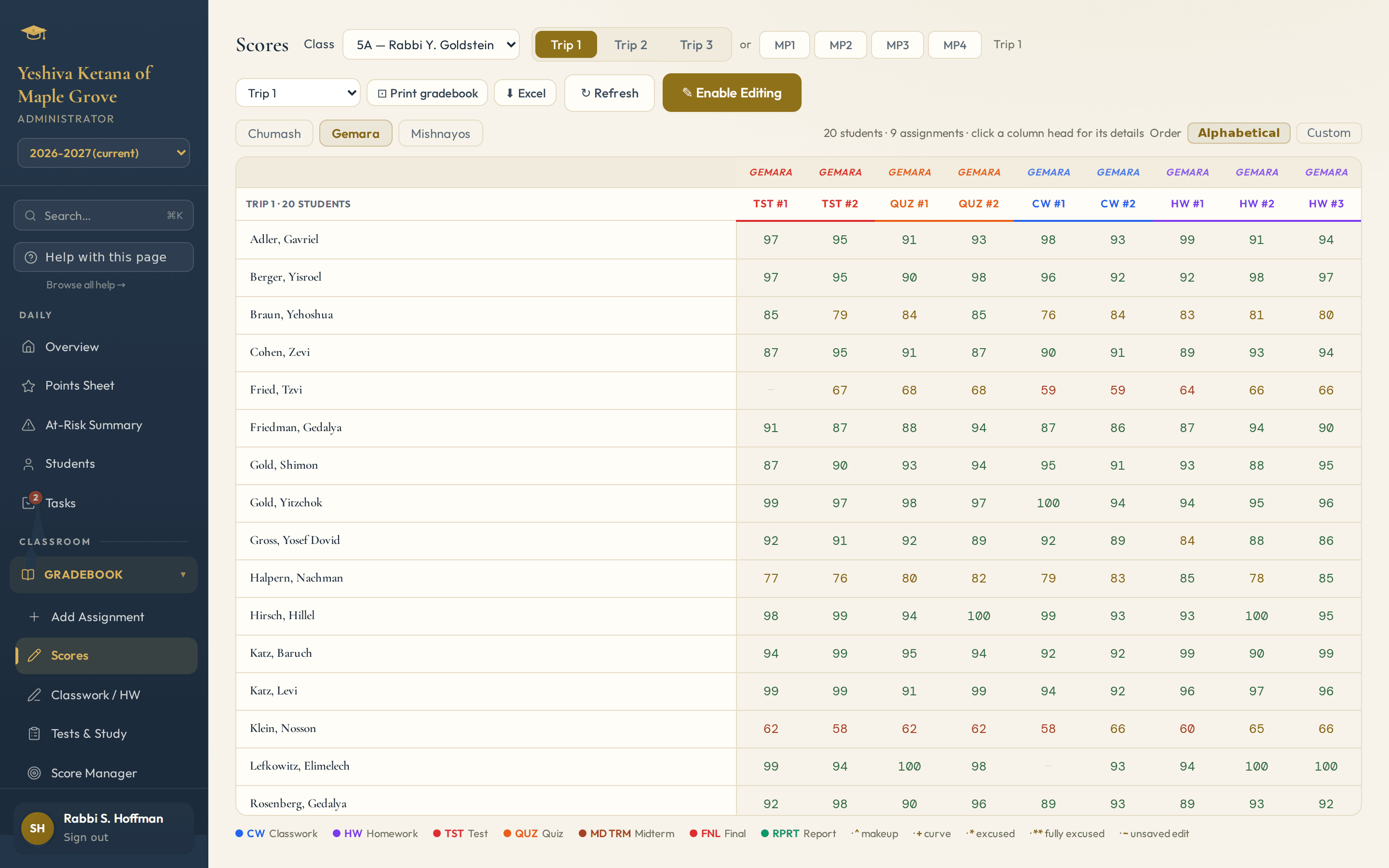
A gradebook a teacher can actually fill in
Each assignment is a column and each student is a row. Type the scores in, or scan the sheet and let it fill them in.
- Your grading policy, for the whole school or class by class
- Make-ups and curves never overwrite the original mark
- Each student’s average at the end of the row, for the year so far, a trip or a marking period, plus the class average
- Mark an assignment as modified with an M
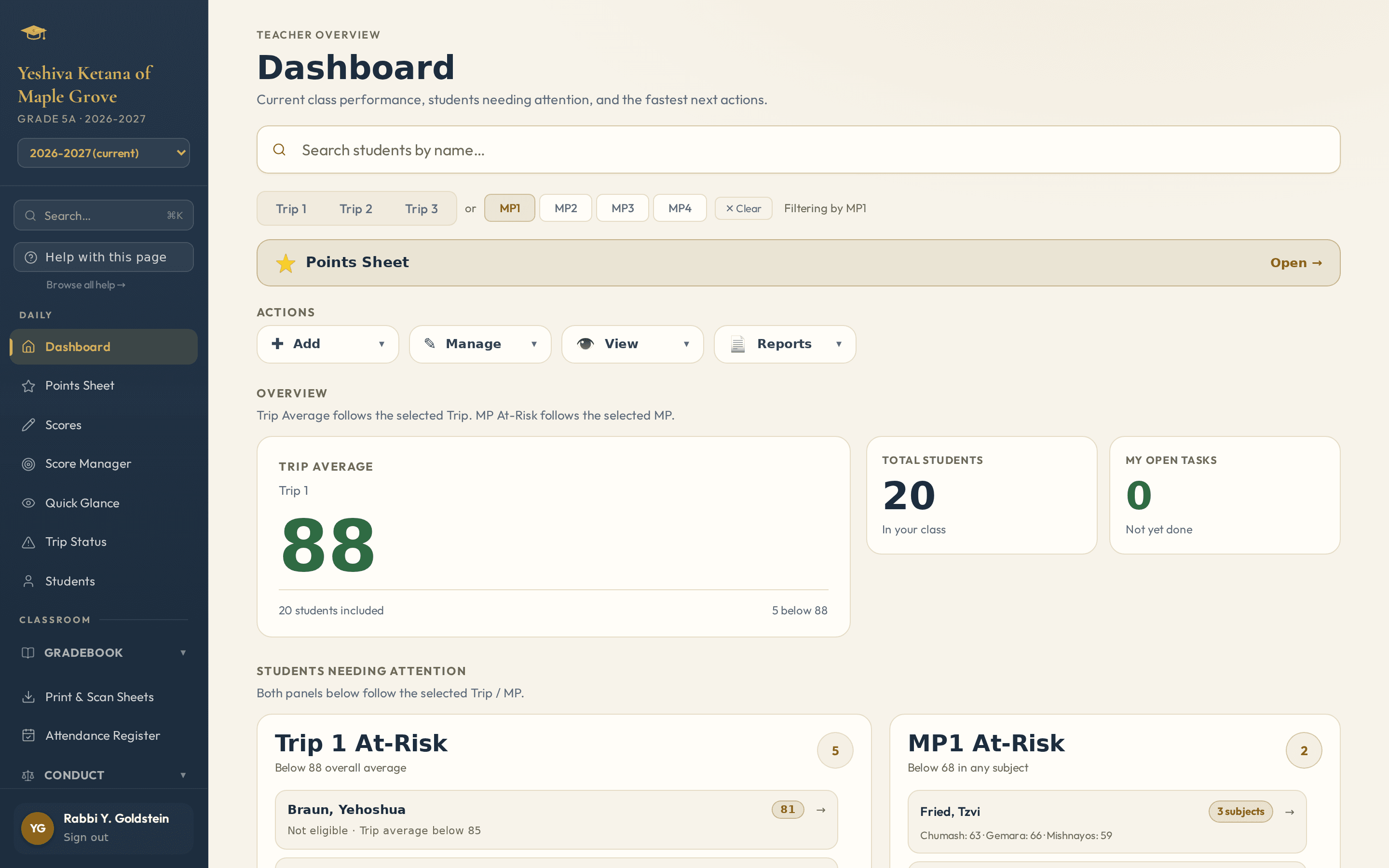
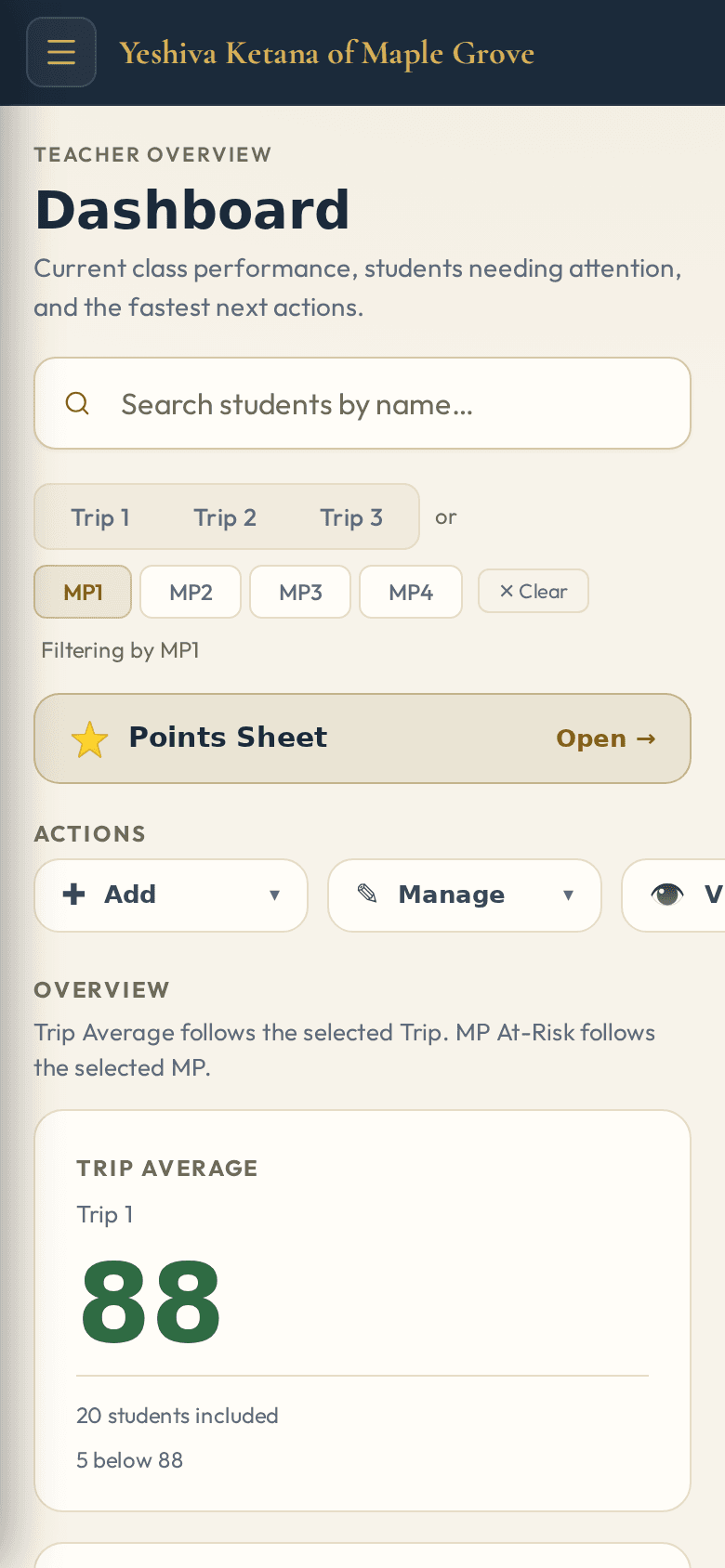
What needs their attention today
Who is slipping, whose homework is missing, which follow-up is due today. It’s all on the teacher’s first screen, and giving points or writing up an incident is one tap.
- The students who need attention, at the top
- Points, homework and conduct from the same screen
- A simple phone view for the hallway: attendance, points and a quick score with big buttons
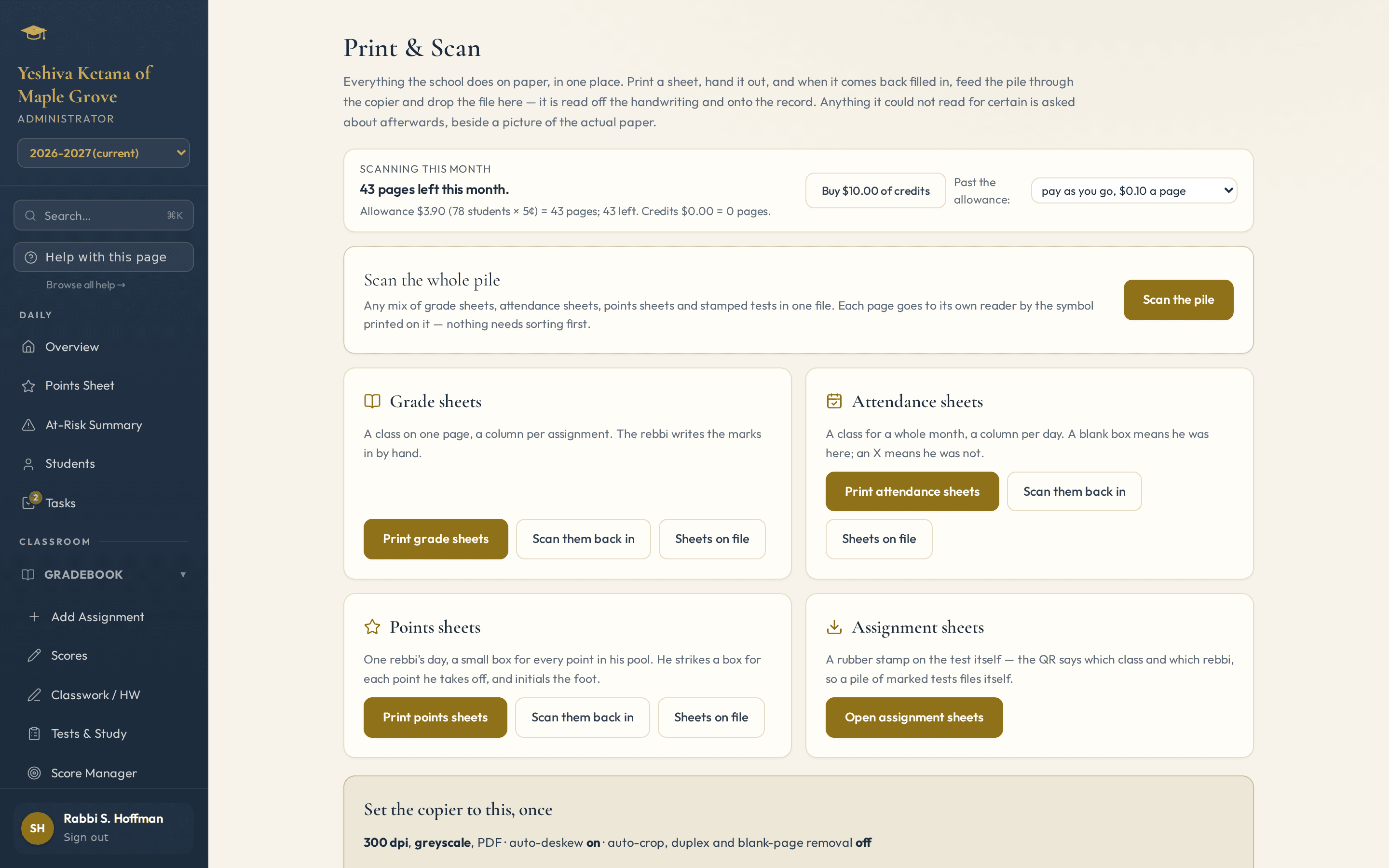
Teachers use a pen. The scanner does the rest.
Each sheet prints with a code. When the pile comes back, run it through the copier and upload the file. The handwriting is read in, and if a mark is unclear you’ll see a picture of the paper and decide.
- Mix grade, attendance and points sheets in one scan
- Keeps reading while you do other work, even if you close the page
- Nothing already entered gets overwritten without asking
- Whoever scanned gets one reminder that opens right where a person is needed
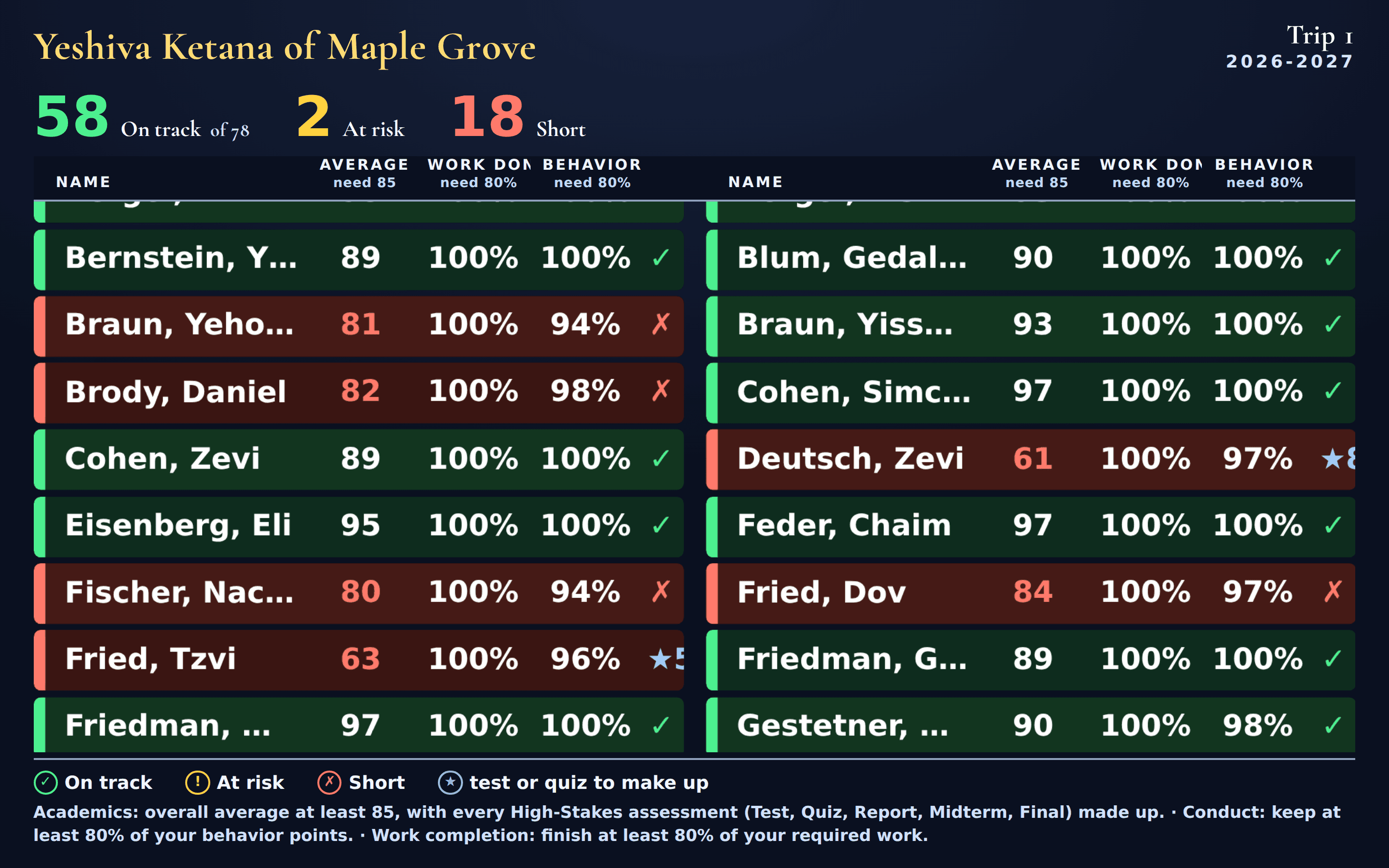
Who earned the trip, and who still can
Say the trip needs an 85 average, 80% of the homework and good conduct. The standings show every student against that bar, whether they’re on track, at risk or short and why. Put it on a hallway screen, print it as a poster, or hand out one sheet per class.
- Every screen and printout shows the same numbers
- A student at risk is told why in plain words
- Print posters and sheets right from the page
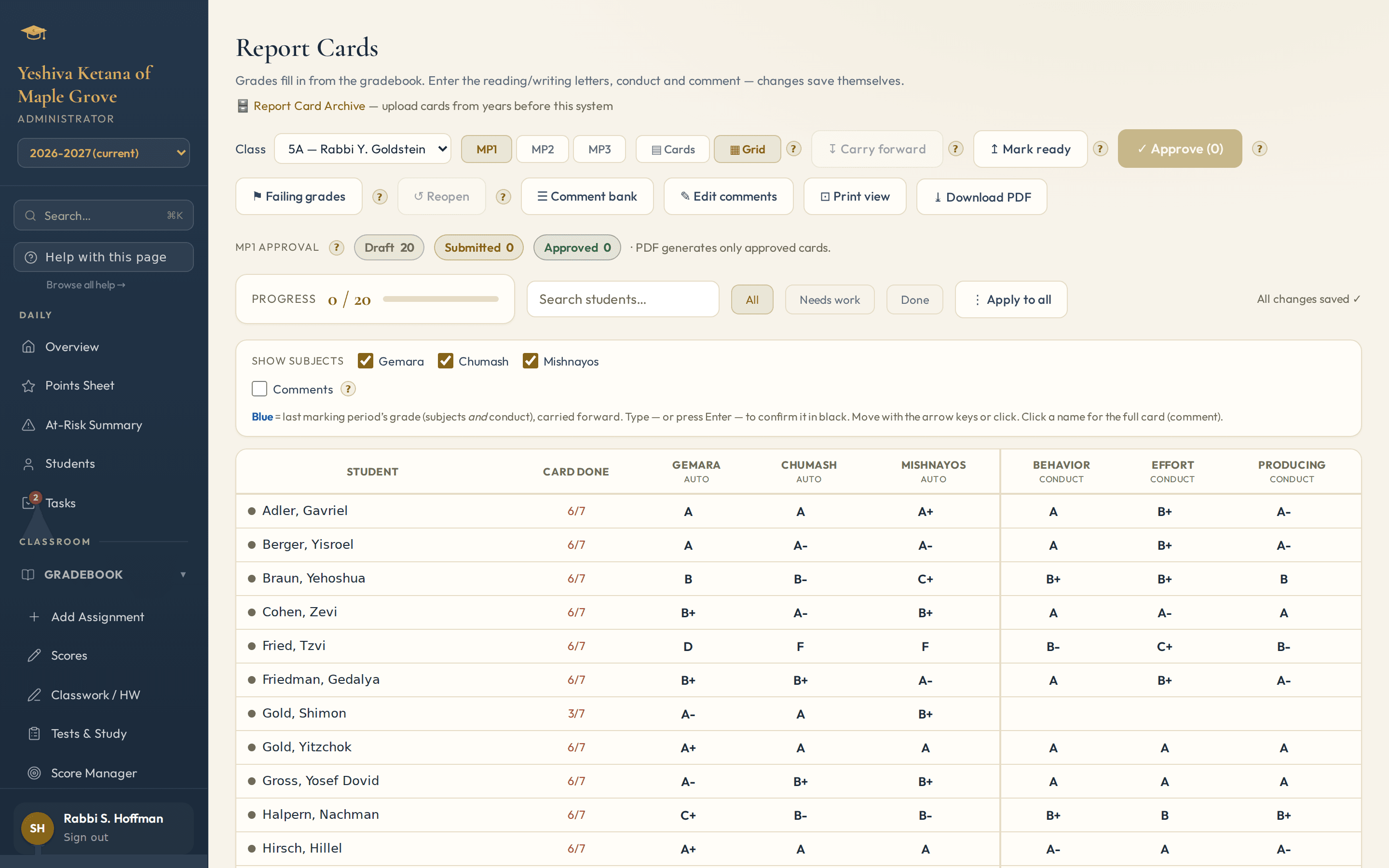
Every report card, printed at once
See at a glance which report cards are ready, then print them all at once on your own letterhead.
- Each teacher writes their own comments, sized to fit
- Kodesh (religious studies) and English on the same card if you want
- Export the gradebook to Excel too
Made by a principal, for principals.
AcademIQ was built by a principal who still runs a school. It started with his own mornings: teachers with a class list and a pen, an office with a pile of papers, parents asking how their child is doing. Most school software makes the school fit the program. This was made to fit the school.
Try it free for a month with your own classes.
After that it’s a monthly price per student. Extras like points, the store, the parent site, attendance and IQ by phone are only charged for the classes or staff that use them. Ask us for a price.
Want a look first? Call (888) 799-9289 any time and ask IQ for a trial login. It texts you a link that opens our demonstration school, so you can click around as its principal.
Get in touch
Call us any hour, or tell us about your school below: how many students and classes, and what you’d like to start with.
We set you up
We make yourschool.academiqs.app with your classes and calendar. It takes an afternoon.
Invite your teachers
Each teacher gets a link and sees their class. You can print the first grade sheets the same day.
Use it free for a month
Scan sheets, give points, print a report card. Nothing is charged until the month is over.
Want to see it with your school’s names on it?
Tell us a bit about your school. We’ll show you around, answer your questions and give you a price.
Or call us: (888) 799-9289 — our assistant IQ answers 24/7.